
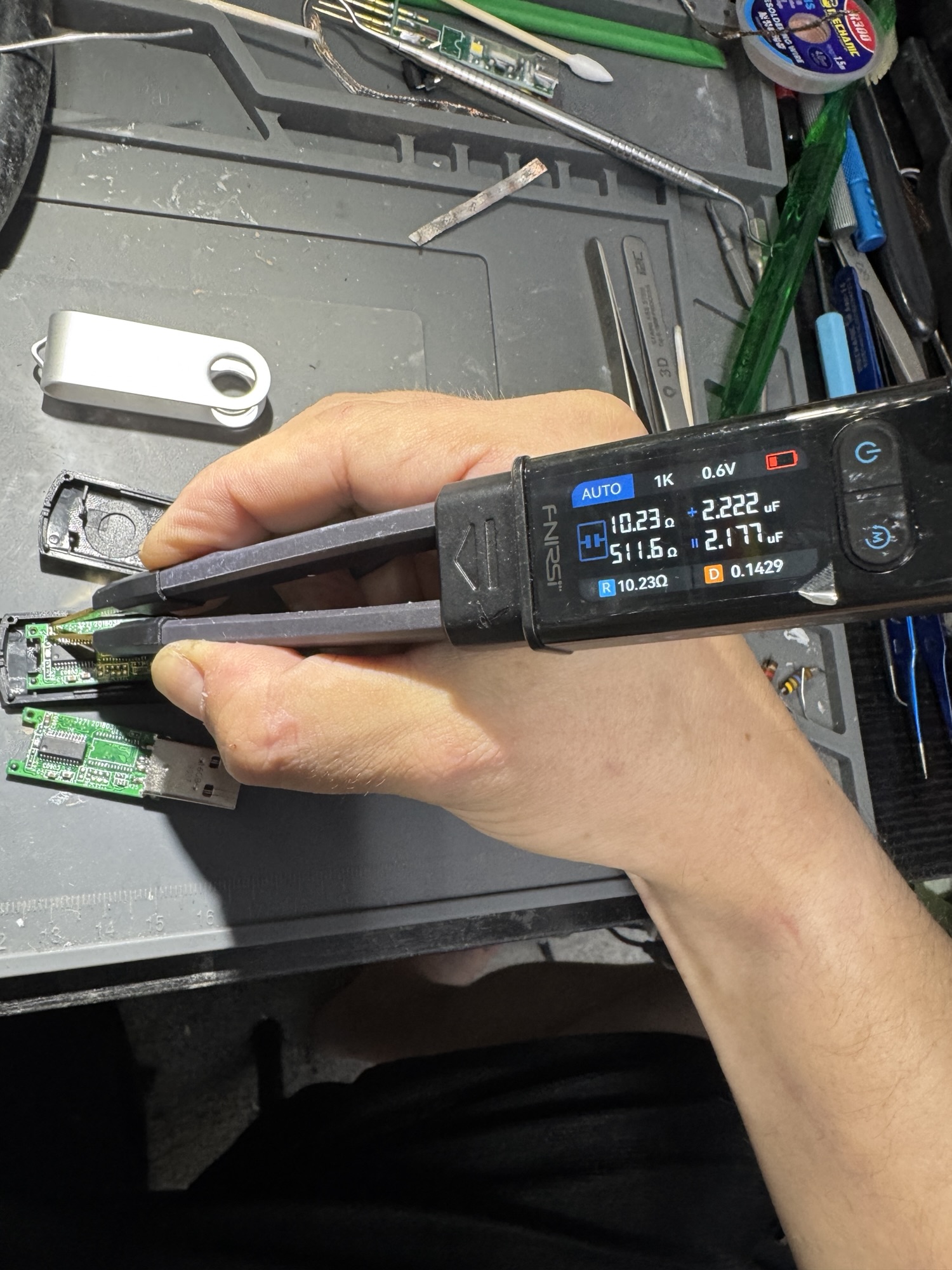
This one is a failure almost everyone has come close to: a USB flash drive that cracked while being plugged in. The plastic housing gave way, the board inside flexed, and the stress tore a surface-mount capacitor completely off the PCB. After that, the drive was effectively dead.
What actually breaks when a flash drive snaps
Inside the plastic shell, a typical USB flash drive is a small circuit board with three main things on it: the USB connector, a controller chip, and the NAND flash memory where your files actually live. Around them are a handful of tiny passive components — capacitors and resistors, many of them smaller than a grain of rice.
The housing is what holds the board rigid. When it cracks during insertion, the force goes into the board, and the board bends. Surface-mount parts are attached only by solder on their ends, and they’re rigid; the board flexing underneath them is exactly the kind of stress they don’t tolerate. A capacitor can crack internally, break a solder joint, or — as in this case — get torn off entirely, often taking some of the copper pad with it.
The important point: physical damage like this usually doesn’t touch the flash memory itself. Your data is stored in the NAND chip, and that chip was never the part that failed. The board broke, and a board can be fixed.
Why one missing capacitor kills the whole drive
Small capacitors on a board like this mostly do power filtering and decoupling — they sit right next to the chips and supply the quick bursts of current those chips need, while smoothing out noise on the supply lines. A controller and flash chip running without the decoupling they were designed around may fail to start, fail to enumerate on the USB bus, or behave erratically. Depending on which component is gone and what damage came with it, symptoms range from “nothing happens when it’s plugged in” to the computer reporting an unrecognized device, or a drive that connects and disconnects repeatedly.
The repair
This was a microscope job. Components at this scale can’t be worked on reliably by eye. The work comes down to:
- Assessing the damage — confirming which part is missing and whether the pads it sat on survived, or whether copper lifted with it.
- Preparing the pads — cleaning the site, removing torn solder and debris, and making sure there’s sound copper to solder to. If a pad has lifted, the connection has to be rebuilt to the trace it fed.
- Replacing the component — fitting a capacitor of the correct value and package size and soldering it in place.
- Inspecting and testing — checking the joints under magnification, checking for shorts, and then confirming the drive enumerates and reads normally.
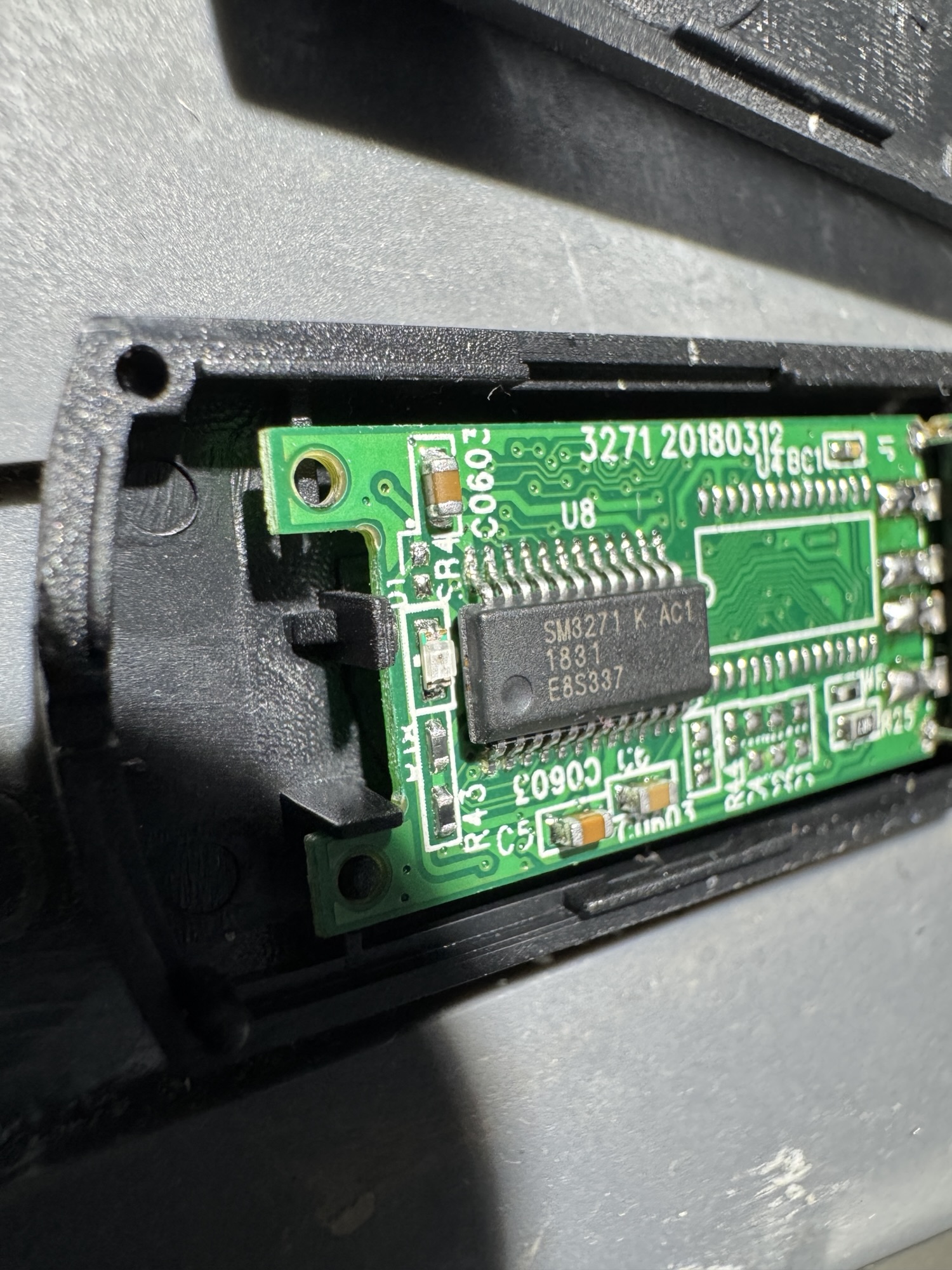
Repaired and back in service. The actual problem was one component and a pad.
If your drive just snapped: what to do (and not do)
- Stop plugging it in. Every insertion on a cracked drive flexes the board again and can turn a one-part repair into a much bigger one — or damage the connector joints.
- Keep every piece. If a tiny component fell out, save it. Even if it can’t be reused, it can confirm what’s missing.
- Don’t glue or tape the housing back together and keep using it. That can hide damage that’s still getting worse.
- Don’t assume the data is gone. When the damage is to the board and not the memory chip, the data is usually intact.
Board repair vs. data recovery lab
A drive like this normally either goes in the trash or gets sent off at data-recovery-lab prices. Labs earn their fees on drives where the controller or the memory itself has failed and the data has to be read directly from the chips. But when the damage is a broken component or a lifted pad, board-level repair is often all that’s needed — the drive works again, and the data comes off normally.
Not every broken drive is repairable at the board level. If the controller or flash chip is cracked, or the board is snapped through, the situation is different. But it’s worth having someone look at it under magnification before writing it off.
Broken flash drive with files you need? Circuit Surgeon does microsoldering and data recovery for customers in Oak Ridge and surrounding areas in East Tennessee, and by mail. Start a repair request or see how to ship your device.