

This Acer Aspire R3-131T came out of an eBay lot listed as not powering on. It’s a 2015 machine, model N15W5, configuration R3-131T-C1YF. Plug in the charger and press the power button, and nothing happens. No LEDs, no fan, nothing on the screen. The one thing it would do is get hot, right next to the power port, if the charger stayed plugged in for a while.


That heat was the most useful clue. A laptop that’s truly dead draws nothing and stays cold. One that gets warm with the power off is spending the adapter’s power somewhere, and if all of it is turning into heat in one spot, something in that spot is shorted.
Some of these photos were taken when the laptop first came in for inspection. The rest are from the bench later, after the parts arrived.
Step 1: Check for a short at the power input
On this laptop, the DC jack sits in the chassis on a short cable that plugs into the motherboard. That connector is the first place to measure. With everything unpowered, I measured from the power pin to ground on the motherboard side of the connector, and it read as a short. The fault was on the motherboard, right where power comes in, before it reaches anything else.


That rules out a lot. A short on the input rail stops everything downstream from getting power. The charging circuit, the CPU, the RAM, and the rest of the board can all be fine, and the laptop will still look completely dead.
Step 2: Pull the board and measure with power applied


I pulled the motherboard, connected power to it on the bench, and started measuring voltages. The main input rail wasn’t there. Power was going into the board and getting pulled to ground almost immediately.
To find exactly which part was doing it, I used the same trick as on other short hunts: a little isopropyl alcohol on the area around the power input. Alcohol evaporates fastest off whatever is hottest, and a shorted part carrying current gets hot quickly. The alcohol flashed off one part almost right away: PD4201, the first diode power reaches after it comes in from the DC jack. On inspection, it also had a burn mark on its body.
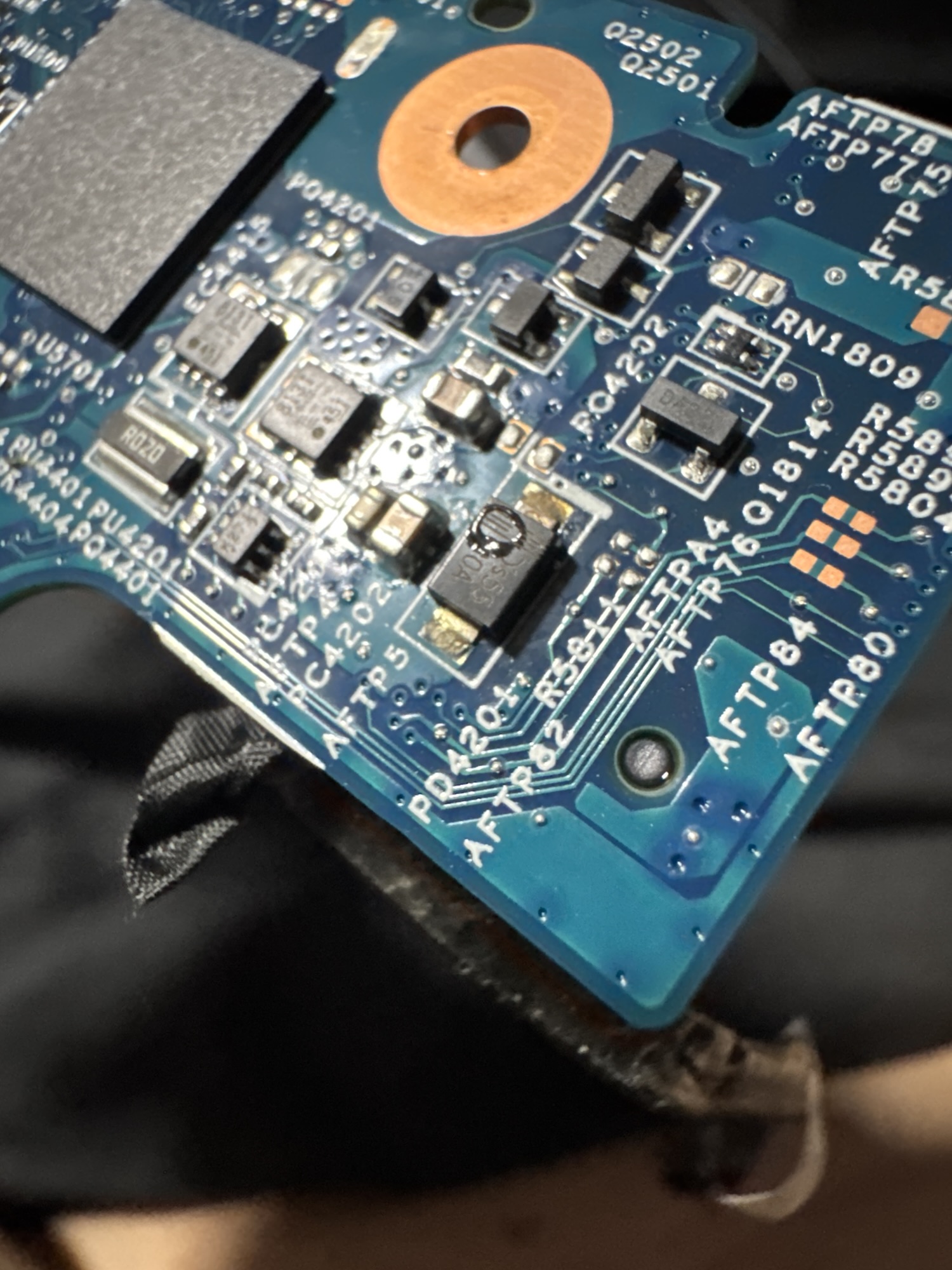
What that diode is, and why it fails shorted
The part at PD4201 is an SMAJ20A. It’s a TVS (transient voltage suppression) diode, and it isn’t in the power path the way a rectifier would be. It sits across the input rail to ground, as a guard. At normal input voltage it does nothing. Its standoff voltage is 20 V, just above the adapter’s 19 V output, so in normal operation it barely conducts at all. If a spike comes in above that, from a bad adapter, a surge, or static discharge at the port, the diode turns on hard and clamps the spike to ground before it can reach the rest of the board.
When a TVS diode takes more energy than it’s rated for, its junction is damaged, and it usually ends up permanently shorted. That’s an intentional failure mode, in the sense that a shorted protection diode leaves the input shorted instead of letting a spike through to the more expensive parts downstream. The cost is exactly what this laptop showed. The diode now sits across the input like a piece of wire, so the adapter’s output goes straight to ground through it. The laptop never gets power, and all that energy turns into heat in the diode and the copper around the port.
Step 3: Confirm the part with the schematic, then replace it
Small SMD diodes are marked with a short code, not a part number, and the same package can hold many different parts. The safe way to replace one is to confirm exactly what belongs there. I was able to find the schematic for this board, which identified PD4201 as an SMAJ20A, and ordered the exact replacement.
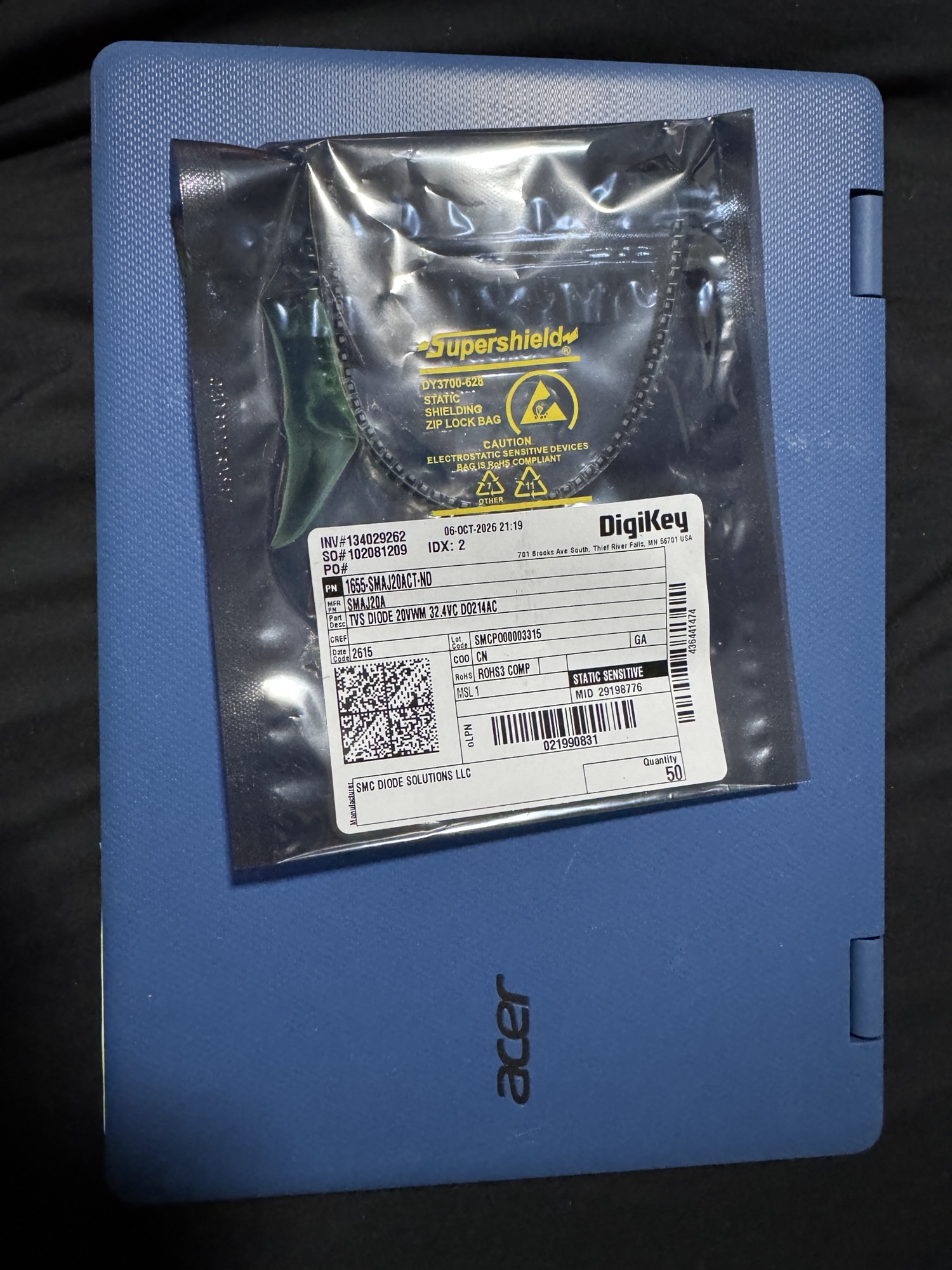
Before the new part arrived, I removed the shorted diode. The laptop powered on with it off, which confirmed the diode was the only fault on the input and that nothing downstream had been damaged. It also meant I could get the rest of the laptop ready while waiting for parts.

Running it that way isn’t a repair, though. With the diode gone, the board has no protection against the next spike, and the next one would reach the charging circuit directly. So the new SMAJ20A went back in.
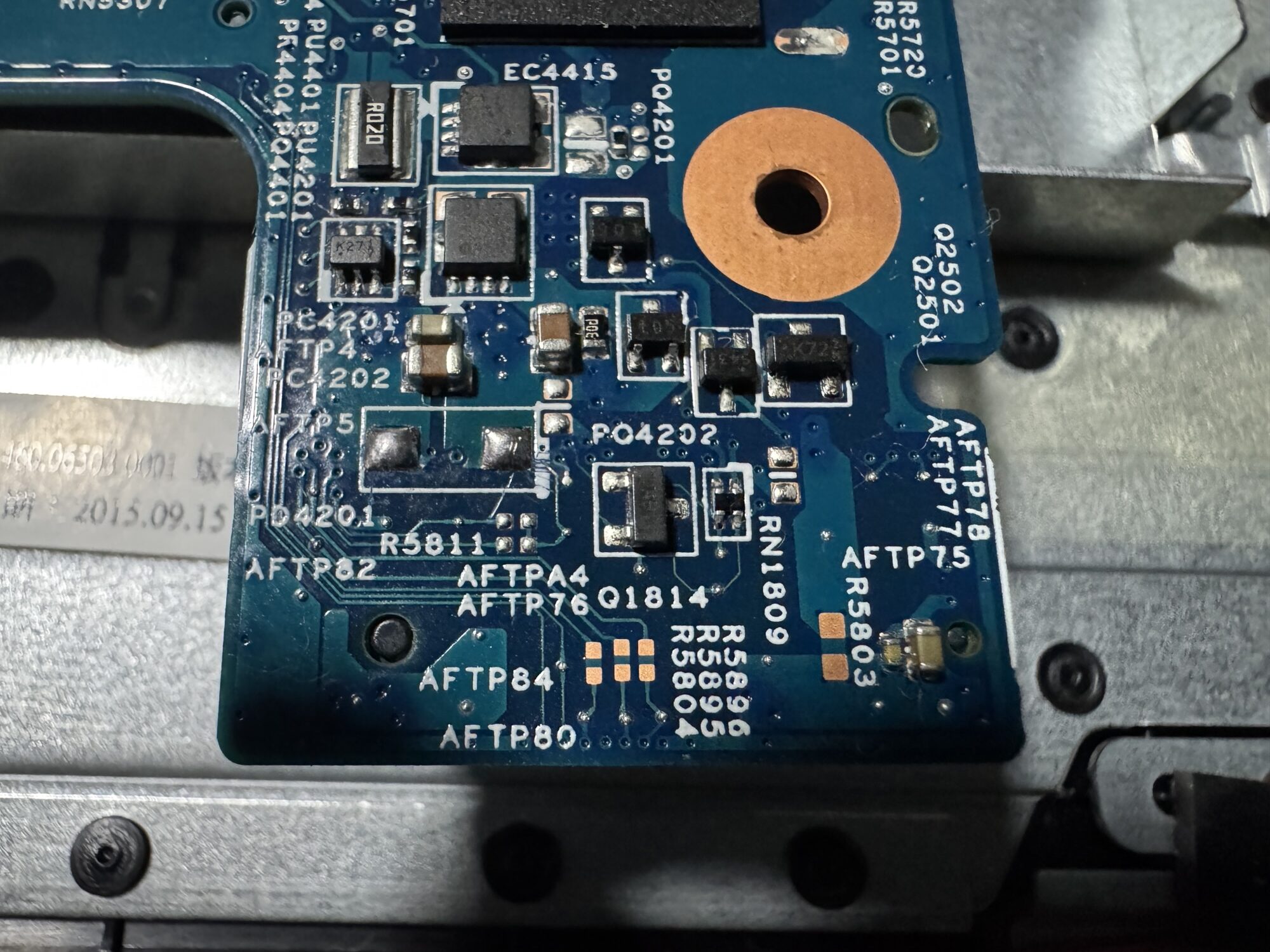
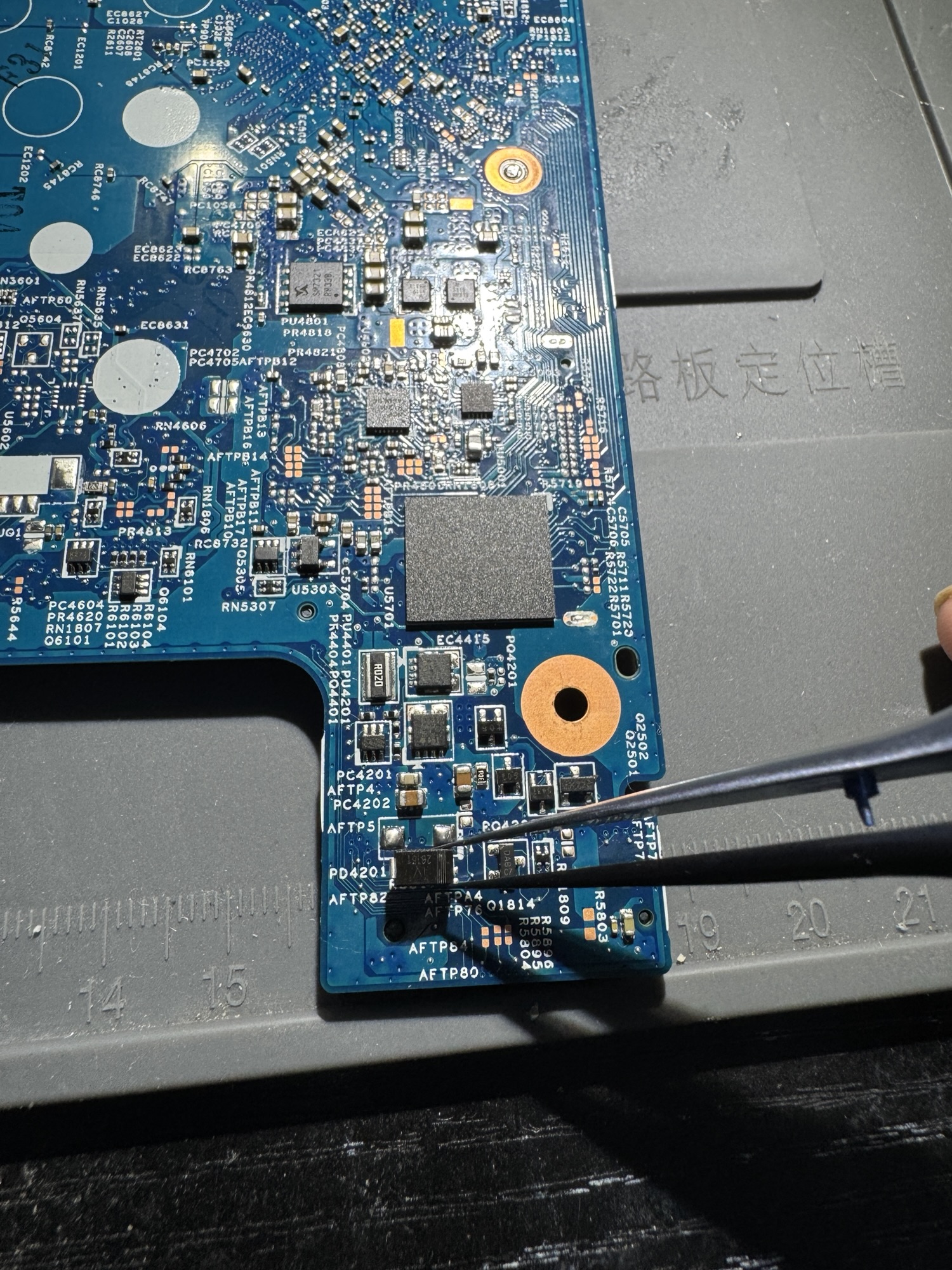
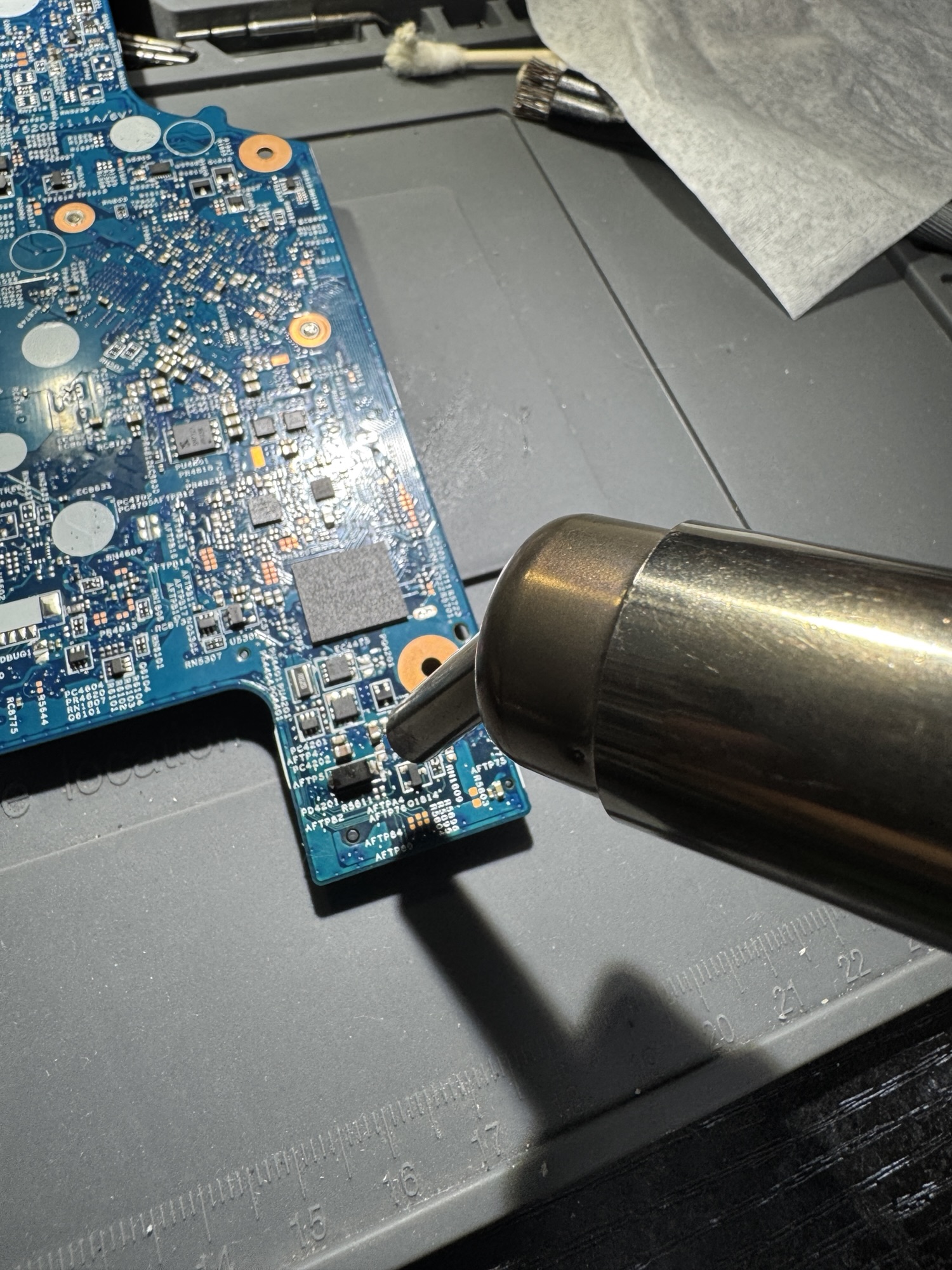


The laptop powers on with the new diode installed and has the input protection it was designed with.
What’s next for this one
This laptop is from 2015 and only has about 30 GB of onboard storage. Windows 10 barely fits once all the updates are installed. It’s a better fit for Linux, which will run comfortably in that space and turn it into a light, portable Linux machine. It also has a 2.5″ SATA drive caddy, so adding a drive there would leave room to run both.
The takeaway
If your laptop won’t turn on and gets warm near the charging port when it’s plugged in, don’t leave it plugged in. That heat means something on the board is shorting the input. It often also means the fault is cheap. A failed protection diode at the input makes a laptop look completely dead, but the motherboard behind it is frequently fine, because protecting it is exactly what that diode was there to do. Finding the short takes a meter and some care. The part itself costs well under a dollar.
Laptop won’t power on, or gets hot near the charger port? Circuit Surgeon does board-level diagnosis and repair for customers in Oak Ridge and surrounding areas in East Tennessee, and by mail. Start a repair request or see how to ship your device.